Websites
WordPress vs AI Website Builders vs Custom Development in India
 By Praveen George
5 min read
WordPress, AI website builders and custom development can each suit different website needs; the right choice depends on control, functionality, skills and ongoing care. Compare ownership and export options carefully because hosting, portability and account control vary by platform and provider.
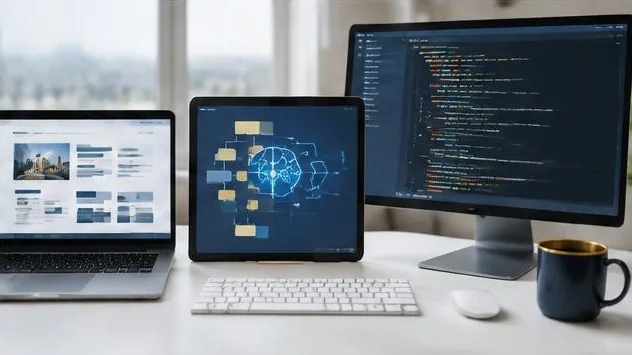
Choose for the work the website must do
There is no universally best way to build a website. WordPress offers a flexible content-management approach, AI website builders can speed up a first draft, and custom development can support requirements needing tailored behaviour. The useful question is which trade-offs fit your business, team and future plans. Consider the pages and features you need, who will update them, how much technical care is acceptable, and what you need to control if you change providers. A platform label alone cannot answer those questions.
Compare the approaches
Use this as a starting point, not a guarantee about every product or implementation. Hosting, export, account access and capabilities differ across builders, WordPress configurations and custom contracts. Ask for the specific platform and handover terms before deciding.
| Approach | Potential fit | Trade-offs to examine |
|---|---|---|
| WordPress | Content-led sites with a broad themes and plugins ecosystem | Plugin compatibility, updates, security, hosting and administration |
| AI website builder | A fast starting point for common layouts and straightforward sites | Human review, platform limits, export, privacy and recurring terms |
| Custom development | Requirements needing tailored workflows or precise control | More specification, testing and ongoing technical ownership may be needed |
WordPress: flexibility comes with upkeep
WordPress can support many kinds of sites through themes, plugins and hosting choices. That flexibility makes configuration and maintenance important. Plugins add useful features but introduce dependencies needing updates and compatibility checks. Ask who monitors updates, tests changes, maintains backups and responds if an extension stops working. Clarify hosting access, administrator permissions and how the site can be moved. “WordPress” does not by itself describe the quality or portability of a particular setup. WordPress.org is the open-source software you can install with a hosting provider; WordPress.com is a hosted service with plan-dependent features. A content export is not a full backup of every theme, plugin, setting and uploaded file. Check the actual backup and migration method before assuming a move will be straightforward.
AI builders: acceleration, not automatic quality
An AI-assisted builder can help create an initial structure or visual direction, especially when requirements are familiar. A person still needs to check claims, page order, readable text and working forms. Review mobile layouts, accessibility, links, privacy disclosures and enquiry data handling. Understand which platform hosts the result, whether content and assets can be exported, and what happens if you stop using the service. AI can assist production; it does not replace decisions, testing or maintenance.
Custom development: scope the specific need
Consider custom development when a defined business process or user experience cannot be handled well by a standard configuration. Describe the workflow, user roles, data and edge cases. Agree on documentation, source access, testing, hosting, security responsibilities and future changes. Custom does not automatically mean better or more secure; quality depends on design, implementation and care. Avoid bespoke features without a clear reason and a way to evaluate whether they work.
Ownership, export and hosting need direct questions
Do not assume a site is portable because it is yours to edit, or locked in because a builder hosts it. Actual options depend on product, plan and contract. Ask who controls the domain and accounts, whether content and media can be exported, what can be moved, and what handover includes. For WordPress, ask about hosting access, backups and plugin licences. For custom work, clarify source-code access and third-party dependencies. Record answers before launch.
Use a selection checklist
Write down required pages and features, the person who will publish updates, and available technical help. Note privacy-sensitive forms, commerce requirements and integrations. Decide how important portability is and what handover means. Ask providers to explain the actual platform, recurring obligations, testing and exclusions. A demonstration using your content can show whether editing is manageable. Prefer a solution your team can operate responsibly over features no one will maintain.
- Can the intended editor make routine changes?
- What accounts, files and export options are provided?
- Who checks updates, backups, privacy and security?
- How are forms, integrations and mobile pages tested?
- Which platform or provider subscriptions continue after launch?
A confirmed example of AI-assisted work
The portfolio documents live websites built with Lovable, including Excelmind Academy (Learn Pathway Pros) and Betsy Green World. Excelmind’s documented contribution includes design, content layout, responsive build and the enquiry journey; Betsy Green World is an online store presenting gardening products. These examples confirm Lovable use in those projects, but do not establish that every site has the same setup, ownership terms or results. Evaluate current platform capabilities and the actual project agreement for your own needs.
Make the choice reversible where possible
Requirements change as a business learns what customers need. Plan account access, documentation and a reasonable export or transition path. Keep copies of original content and brand assets, and avoid tying critical processes to an undocumented personal account. Ask what changing provider would involve and which services must remain active. A thoughtful decision balances present simplicity with future responsibilities. If requirements are uncertain, begin with a defined core rather than assuming a complex build is necessary.
Frequently asked questions
Is WordPress better than an AI website builder?
Neither is always better. WordPress offers a broad ecosystem but needs ongoing plugin and platform care; an AI builder may accelerate setup, but check editing, export, hosting, privacy and maintenance.
Can I export a website from an AI builder?
Export and portability vary by builder and plan. Confirm what content, media, code or data can be moved and what remains tied to the platform.
When should I choose custom development?
Consider it when a defined workflow or feature cannot be served well by a standard setup. Specify testing, documentation, source access, hosting and maintenance as part of scope.
Explore Website Design & Development with Praveen George.
Related articles
How to Choose the Right Website for Your Business in India
Choose the right website by matching its format to the main task customers need to complete: learn about your service, respond to one offer, or browse and buy products. Start with your audience, goals, and ability to maintain the site, then choose the simplest format that supports them.

How Much Does a Website Cost in India? (2026 Guide)
Website cost in India depends on scope, complexity, content, commerce features, integrations and the support you need—not a single standard rate. Compare written proposals that describe the same deliverables, ownership and ongoing responsibilities rather than judging unlike quotes by their headline alone.